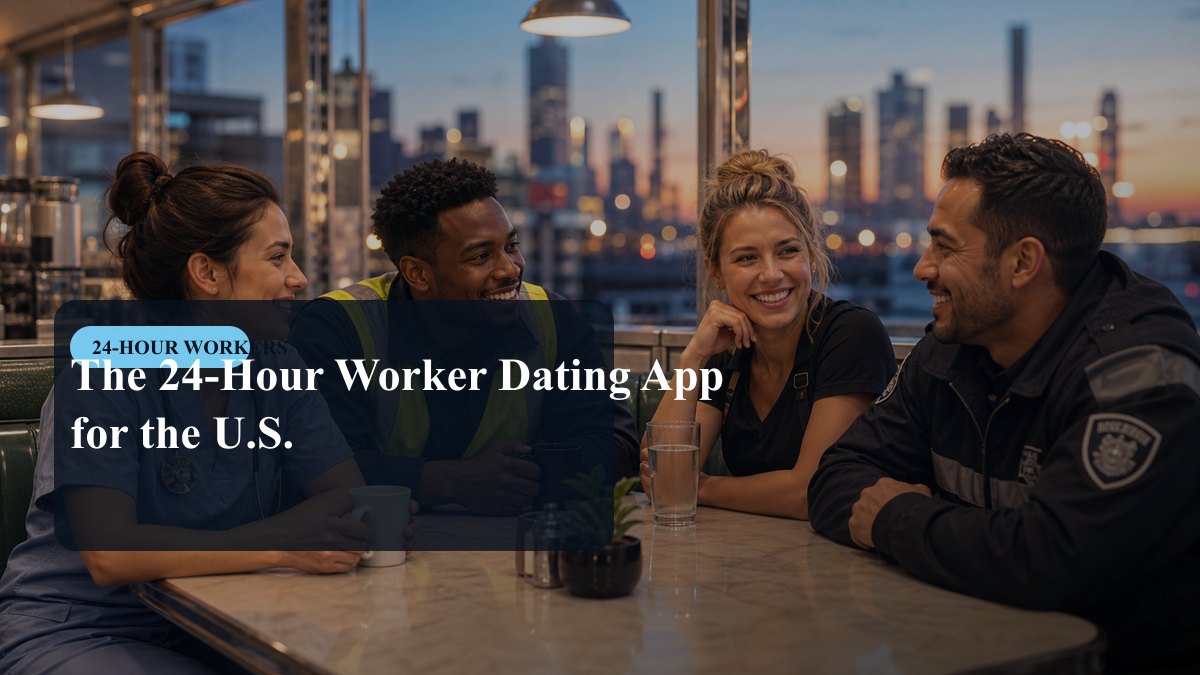
A charge nurse on 7p-7a, a warehouse associate on a 1:20 a.m. start, and an accountant who glanced at her phone during lunch all appear the same way in most dating apps: "Active today." For a day-shift user that label is good enough. For someone whose waking hours run from 11 p.m. to 9 a.m., it is the difference between a conversation and a monologue typed into the dark. It is a useful place to begin when deciding which app deserves a month of your attention.
Start with your roster, not the app store
Before comparing products, write down your actual week: hours awake, hours asleep, and the two or three slots where you could plausibly meet a stranger for an hour without wrecking your sleep. The shape varies more than people outside the schedule realise.
- Three twelves on 7p-7a give you mornings nobody else is free for, plus four days a week that look like a vacation to everyone at work.
- A 2-2-3 Panama rotation, common in dispatch, corrections, refineries and some ICUs, hands you every other weekend as a three-day block but scrambles which weekday is yours.
- Firefighters on 24/48 have two clean days between tours and a hard rule about the evening before one.
- Over-the-road drivers get a ten-hour break wherever the truck stopped. Meeting is geographically limited; talking is not.
- Rotating shifts, swing to graveyard and back, mean availability changes every few weeks, which is the hardest case for any app to model.
Once that is on paper, your requirement is not "more matches." It is matches whose windows overlap yours, and an app that does not quietly penalise you for replying nine hours later.
What activity indicators actually tell you
Ask three questions of anything you install. Does it show a real timestamp or a vague badge? Can you state your hours in a structured field, or is your schedule buried in free text nobody reads past line two? Can you sort or filter by who is awake right now, and does it handle time zones properly? A Central-time nurse and a Pacific-time security officer have a real overlap, but a narrow one, and an app that ignores zones will hide it from both of them.
There is a simple test that beats any feature list. In your first week, open the app at 3:30 a.m. local time and count how many profiles inside your radius show genuine recent activity. That number is your actual pool. Install counts and marketing claims tell you nothing about who is awake when you are, especially outside a metro.
Pacing mechanics: the features that punish shift work
Most engagement mechanics were tuned for people who check their phone after dinner. Read them as a night worker and several of them invert.
| Mechanic | Why it exists | Effect on a night roster |
|---|---|---|
| 24-hour match expiry | Creates urgency | Matches die inside your sleep block; you wake to an empty list |
| Response-rate or reply-speed ranking | Rewards active chatters | Day-shift messages land while you sleep, so your average suffers |
| Streaks and daily quotas | Retention | Pulls app use into hours you should be sleeping |
| Read receipts, always on | Reassurance | Reading at 4 a.m. and replying at 8 looks rude when it is only a break ending |
| Voice notes and asynchronous video | Richer than text | Useful: you can talk at 3 a.m. without waking anyone |
| Per-app quiet hours | Notification hygiene | Essential if you are on call and cannot use phone-wide do-not-disturb |
That last row is worth more than it looks. Plenty of night workers keep the ringer on for work, which means every app notification lands too. An app that lets you silence it between 08:00 and 15:00 without silencing your dispatcher is protecting your sleep.
Safety features, judged at odd hours
Meeting at 8 a.m. in a diner is public, but it is also quiet, and daylight is doing less work than people assume. Check what the app provides rather than what a badge implies.
- Verification. Find out what the check proves. A selfie-pose check confirms the photos match a live face. It is not an identity check and it screens nobody out.
- Reporting. Are reports reviewed by people, and how fast? Does blocking remove you from their view as well as removing them from yours?
- Location precision. Distance shown to the nearest mile can be triangulated over a few days. Look for an approximate-location or hidden-distance setting, especially if you work somewhere identifiable.
- Visibility control. An incognito or who-can-see-me mode matters if you are EMS, corrections, a teacher or a nurse in a small town where your patients and their families use the same apps.
- Data handling. The Play Store data-safety section takes two minutes and tells you what is collected and whether deletion is offered.
Independent of any feature: tell a coworker where you are going, keep your own transport, and do not let a first meeting run into the hours you need for sleep. Fatigue affects judgement.
What is worth paying for
Separate three things. Subscriptions bill through Google Play and renew automatically, and you cancel them in Play rather than inside the app. Consumables such as boosts, super likes and extra swipes are usually non-refundable and disappear quickly.
On a night schedule, the paid features that tend to earn their keep are the ones that solve your specific problem: filtering or sorting by activity time, a higher daily like limit when your local pool is small, hidden-profile modes, and the ability to send a first message containing your schedule instead of waiting on a mutual swipe. The ones that usually do not: boosts, which are typically most valuable during the app's evening peak and therefore not during yours; read receipts; and paying to see who liked you when you would have swiped anyway.
A checklist, and what it cannot fix
- Real timestamps, or some way to see who is awake now.
- A structured field for your shift pattern, not just bio text.
- Correct time-zone handling on distance and activity.
- No hard match expiry, or one you can extend.
- Per-app quiet hours for notifications.
- Voice notes or asynchronous video.
- Photo verification, with its limits stated honestly.
- Human review of reports, and two-way blocking.
- Approximate location or distance hiding.
- A free tier usable enough to test before paying.
- Clear subscription terms and an obvious cancellation path in Play.
- A 3:30 a.m. check that shows real people nearby.
The honest trade-off is size against fit. A schedule-focused app such as Night Shift Dating starts with a smaller pool but much better information about when people are available. A mainstream app gives you volume and buries the scheduling question. If you live outside a metro, running one of each for a month is often more sensible than arguing about which category is better.
No app resolves the underlying problem, which is that your week does not line up with most people's. What a well-chosen one does is stop wasting your limited waking hours: fewer conversations with people who will never be free at the same time as you, less energy spent explaining the roster, and no notifications at 11 a.m. when you finally got to sleep at nine.